Getting Started with Hermes Agent Using mise
May 2, 2026 Published
Hermes Agent provides an installer, but it does quite a lot. I felt a little hesitant about handing all of that over to an installer.
There is also another documented approach: clone the repository, install the dependencies, and create a symbolic link to the executable somewhere in your PATH. This time, I tried that route using Python managed by mise.
Clone the Repository
Prepare uv with mise
When using uv with mise, setting python.uv_venv_auto in mise.toml is convenient because you no longer need to run source .venv/bin/activate manually.
For more details about python.uv_venv_auto, see the mise documentation.
Create a venv with uv and install the dependencies
If Python 3.11 and uv are not installed yet, install them here.
Create Hermes Agent directories and a symbolic link
Run the doctor command
Running hermes doctor will show the remaining tasks needed to run Hermes, such as setting API keys. Check the output and handle anything it reports.
Run Hermes
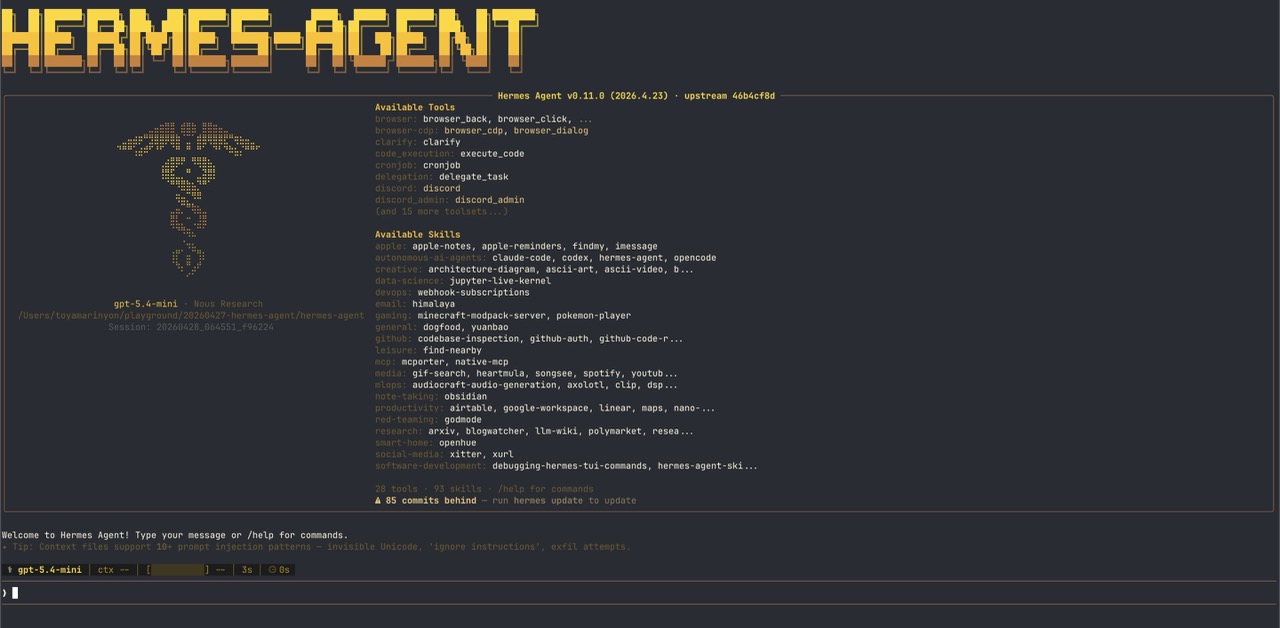
If you see a screen like this, everything is working.
Closing thoughts
I set up Hermes Agent in my local mise/uv environment without using the installer.
What we are doing is fairly simple: prepare a Python environment, install the dependencies, and make the executable available from PATH. Once the steps are separated out, it feels more straightforward to manage than I expected.
If you already use mise, this approach may be a comfortable way to try Hermes Agent.